Download the installer from prismlauncher.org and run it. Prism is available for Windows, macOS, and Linux. It bundles its own Java runtime, so no separate Java install is required.
Prism installer
Pick your launcher below and follow the steps to get JusticePlay SMP running. You'll need a valid Minecraft Java Edition licence and Java 21 or newer.
Download the installer from prismlauncher.org and run it. Prism is available for Windows, macOS, and Linux. It bundles its own Java runtime, so no separate Java install is required.
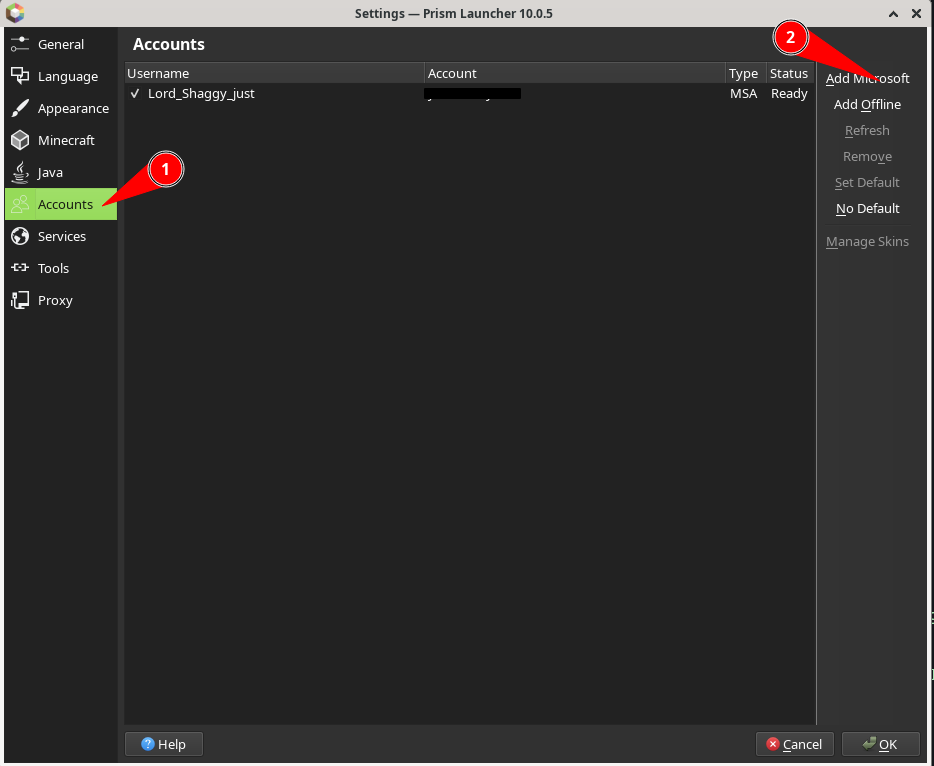
Click the person icon in the top-right corner → Manage Accounts… → Add Microsoft. Sign in with the account that owns Minecraft Java Edition.
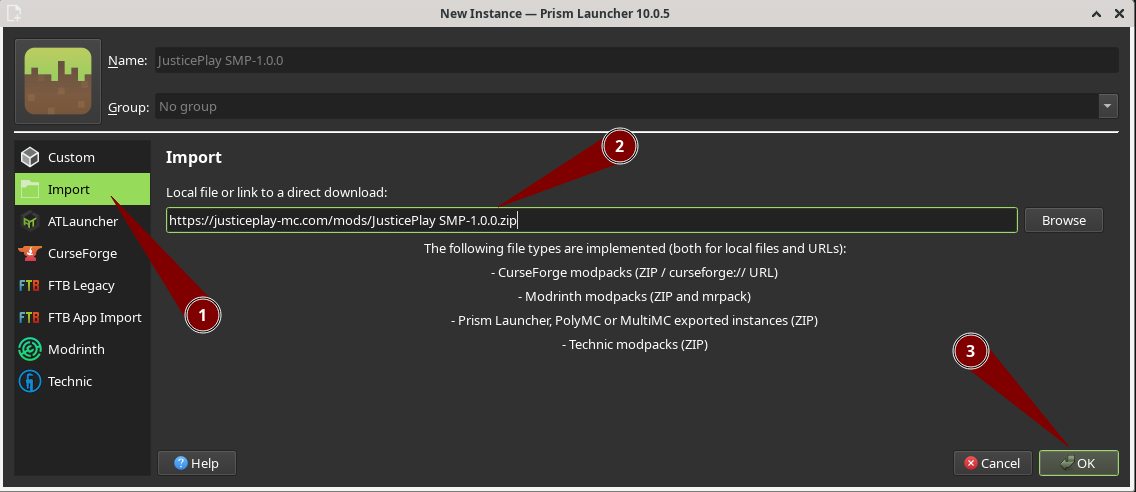
Click Add Instance → select Import from the left panel.
Click Browse and select the downloaded
.mrpack file (or paste the direct download URL).
Prism will detect Fabric and all required mods automatically.
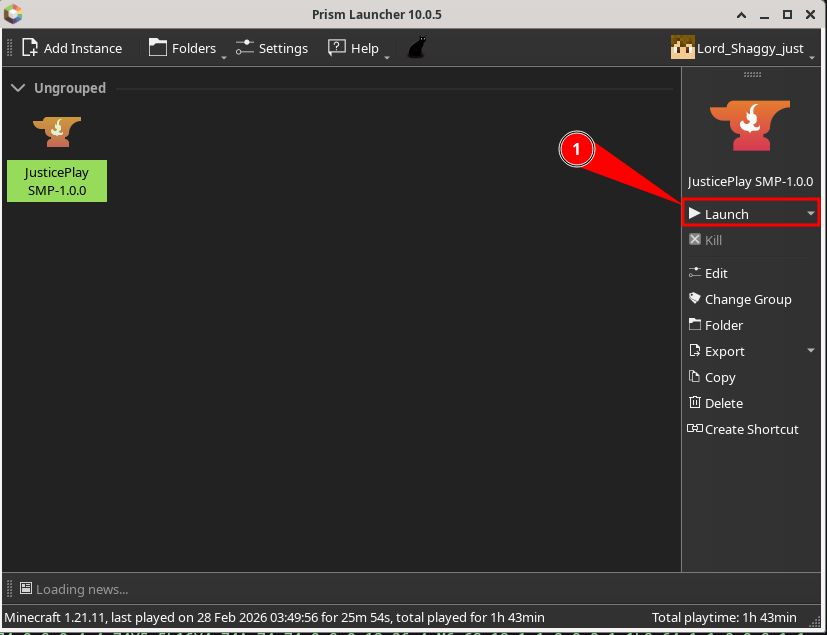
Prism downloads Fabric and all mods in the background. Once the progress bar finishes, double-click your new instance to launch. Connect to the server and you're in!
Download ATLauncher from
atlauncher.com.
Run the .exe (Windows) or extract the .jar (macOS / Linux).
Java 17 or newer must be installed separately.
Open the Accounts tab on the left sidebar → click Add Microsoft Account and follow the browser prompts to authenticate with the account that owns Minecraft Java Edition.
Go to the Instances tab → click Import.
Choose Modrinth as the source, then browse to your
downloaded .mrpack file. Click Install
and wait for ATLauncher to download Fabric and all mods.
Once installation finishes, find your new instance on the Instances tab and click Play. The instance launches with Fabric and all mods loaded.
Download the CurseForge desktop app from curseforge.com/download/app and install it. The app bundles its own Java runtime — no separate install needed.
Sign in with your CurseForge / Overwolf account, then head to Settings → Minecraft → Game Accounts and link your Microsoft account that owns Minecraft Java Edition.
In the Minecraft section click Create Custom Profile →
Import a Previously Created Profile →
browse to the downloaded .zip file.
CurseForge will detect the Fabric version and install all mods automatically.
Once all mods have downloaded, find the new profile on your My Modpacks list and click the orange Play button.
Download the Modrinth App from modrinth.com/app. Available for Windows, macOS, and Linux. It ships with its own Java runtime.
Log in with your Modrinth account first, then add your Microsoft / Minecraft account under the Profiles section. Both are needed — Modrinth for mod downloads, Microsoft to launch the game.
Click the + button in the top-left →
Import from file → select your downloaded
.mrpack file. The app reads the pack manifest and
downloads every mod and dependency in one go.
All mods are downloaded automatically. Find the new profile on your library screen and hit Play. That's it — connect to the server and start playing!